Personalized Partnership Insights
Use this tool to gain insight into a work or personal partnership.
Step 1: Share your results via Gallup Access
Log in to your CliftonStrengths account
Select Menu and CliftonStrengths
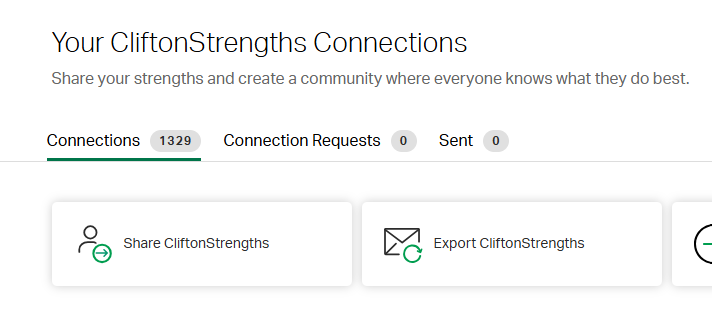
From the menu bar across the top, select Connections.
Click the option to Share CliftonStrengths and enter the email addresses for your partner.
Once you share with each other, the results will show up in Connections. Suggestion: Pick one or two team members to share with!
Step 2: View Partnership Insights
Once you've received an email notification that someone has shared their CliftonStrengths with you, the fun begins!
Click the three dots after your colleague's strengths.
Select Compare
From here, you will have access to two resources.
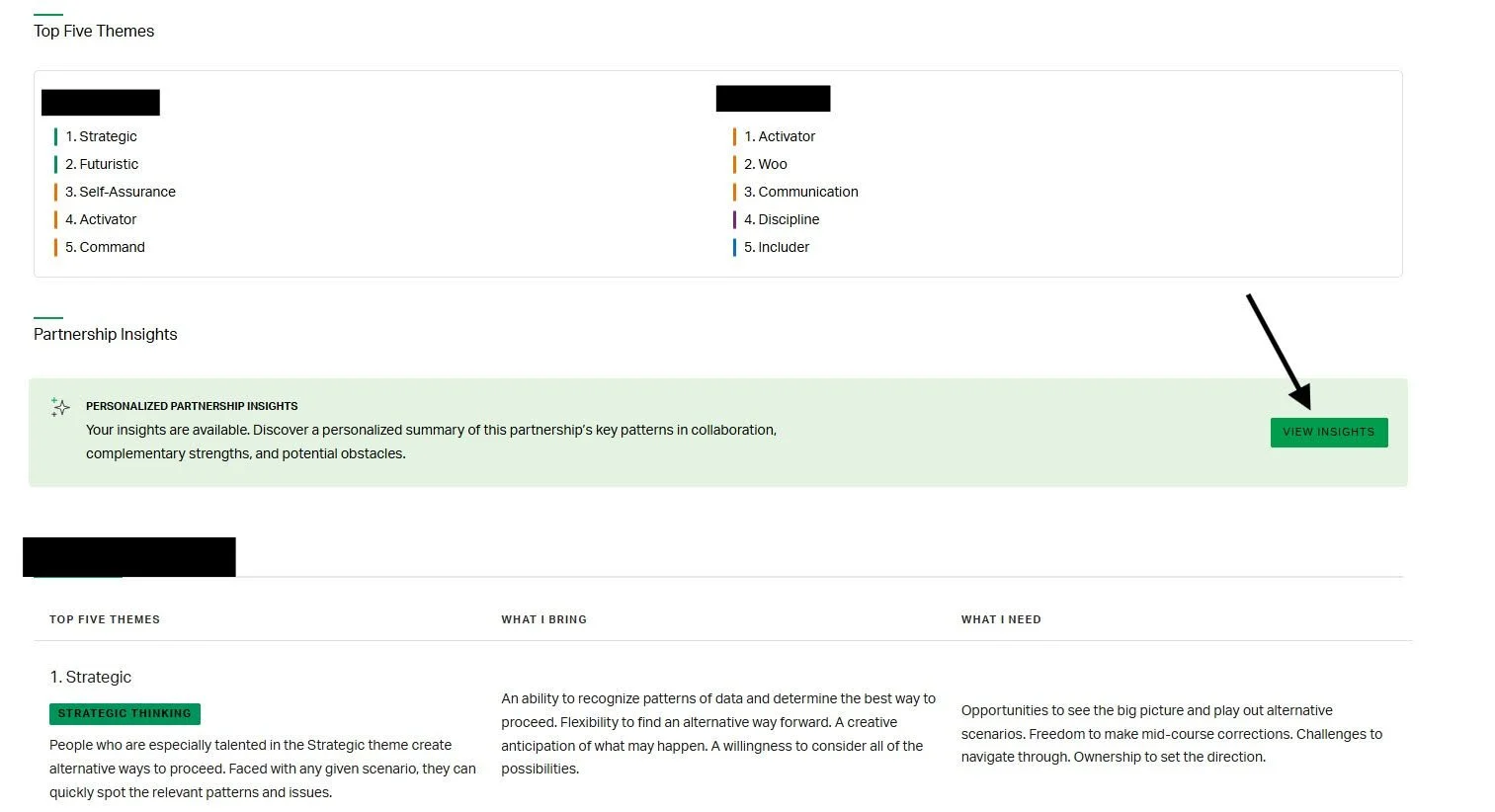
For you and your partner, you will see the top five strengths, What I Bring and What I Need.
There will also be Personalized Partnerships Insights. Give it a minute to load, and then click View Insights.
Suggestion: Save this as a PDF.
Step 3: Partner/Team Discussion
There are four sections to the Partnership Insights:
Our partnership at our best
How you complement each other
Where there might be tension
Suggested collaboration practices
At a team meeting, you can select a duo to review the Partnership Insights document with. What rings true for this duo? How do you see this play out in the workplace? Where are their opportunities for improvement?